

Home › Ironbark


Plays your music. Doesn’t annoy you.
A free, open-source music player for Windows, Mac and Linux. It sits in a small window in the corner of your screen and plays your music collection, with no accounts, no ads and no store. And for people who care how their music sounds, it shows, sample for sample, whether each song reaches your sound device exactly as it is in the file.
Download Ironbark See what it does
Experimental Free · MIT licence · Windows 10 and 11 · macOS (Apple silicon) · Linux · Made by Digital Greenhouse in Australia
Why Ironbark
A player you stop noticing.
Most music players want your attention. Ironbark just plays the music, and proves it played it properly.
Simple to live with
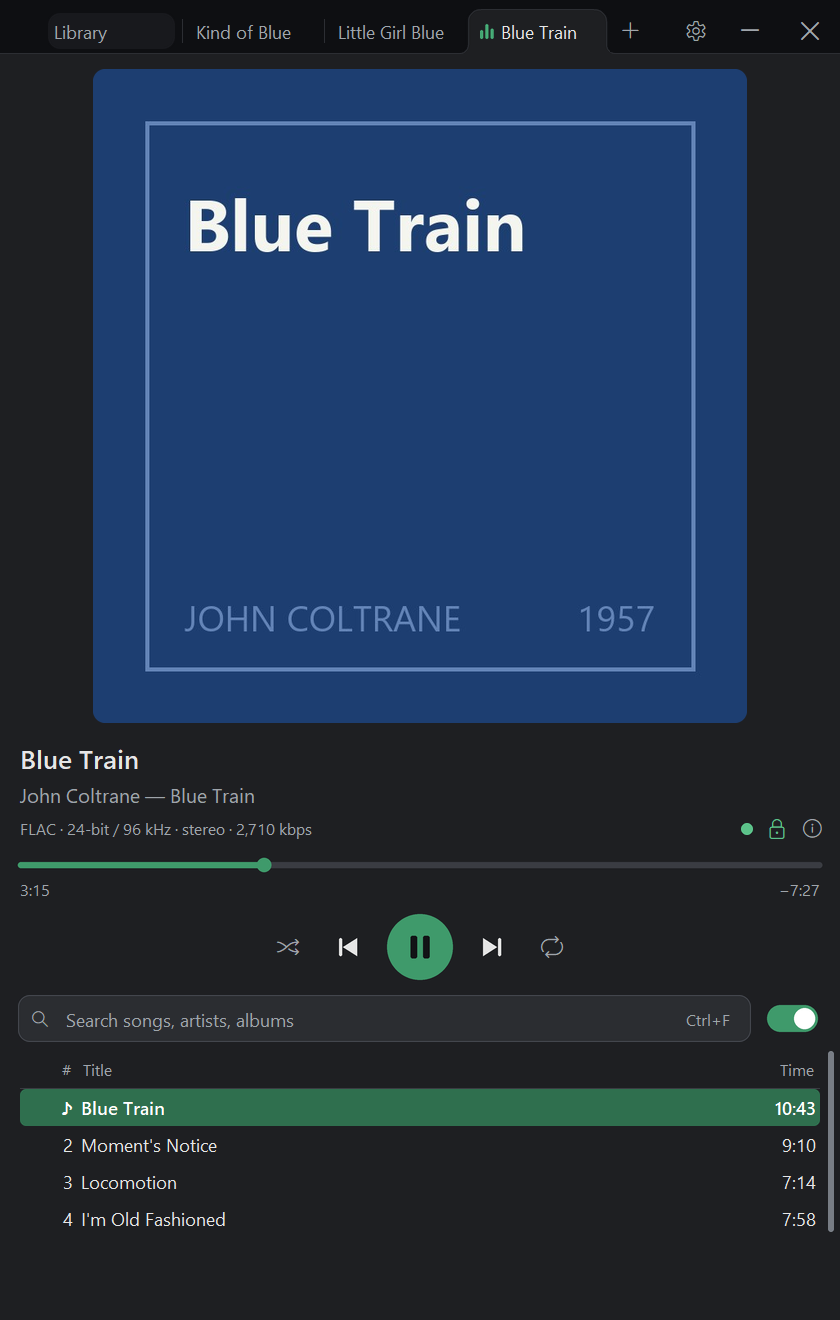
A small window for the corner of your screen, with tabs for albums, a library that copes with big collections, playlists, gapless playback, media keys, a mini player, and light and dark themes. Plays FLAC, WAV, AIFF and Apple Lossless exactly, hi-res included; MP3, Ogg Vorbis and Opus play too, clearly labelled as lossy.
Bit-perfect, and proven
Plenty of players say they’re bit-perfect, meaning your music reaches your sound device exactly as it is in the file. Ironbark checks every block it sends to the sound driver against a second, independent decode of the file while the song plays. So “bit-perfect ✓” is a measurement, not a setting.
Is this file genuine?
One click checks for files made from MP3s, “hi-res” files upsampled from CD quality, 16-bit recordings padded out to 24-bit, clipping (distortion from audio pushed past its limit) and damaged files. It also spots formats such as HDCD and MQA.
Measured to the standards
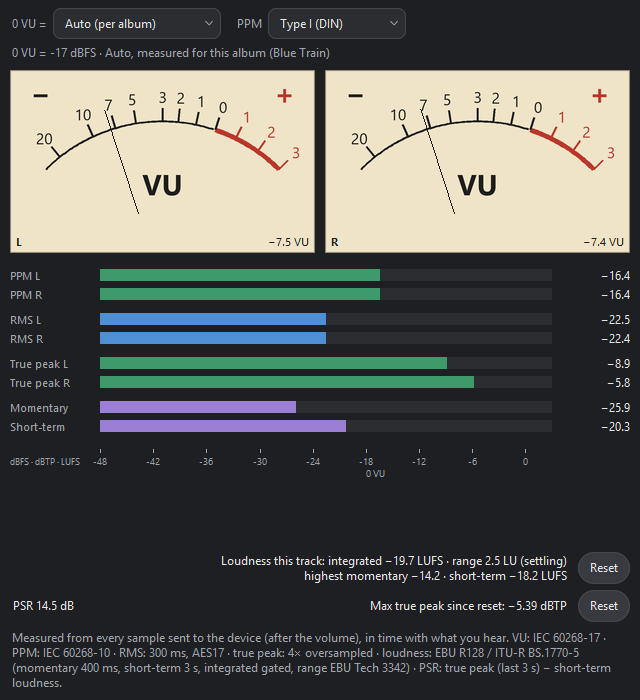
VU and PPM meters, loudness (EBU R128, the broadcast loudness standard), true peak, a spectrogram (a picture of the sound’s frequencies over time) and a stereo scope. Each is built to its published standard and tested against the official test signals where they exist.
Light or dark
Made for the corner of your screen.
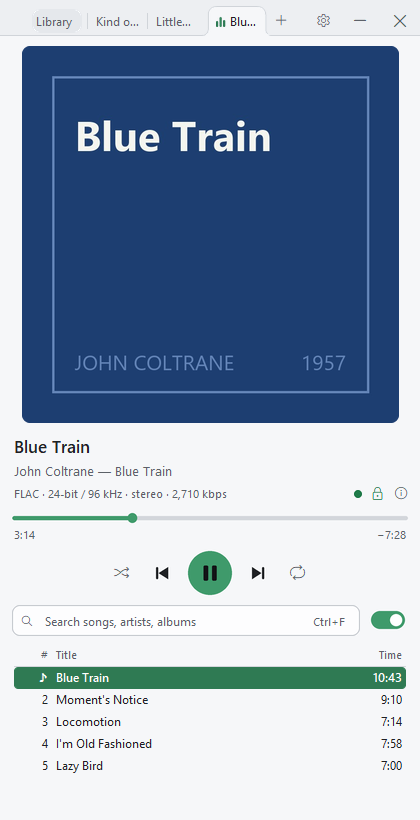
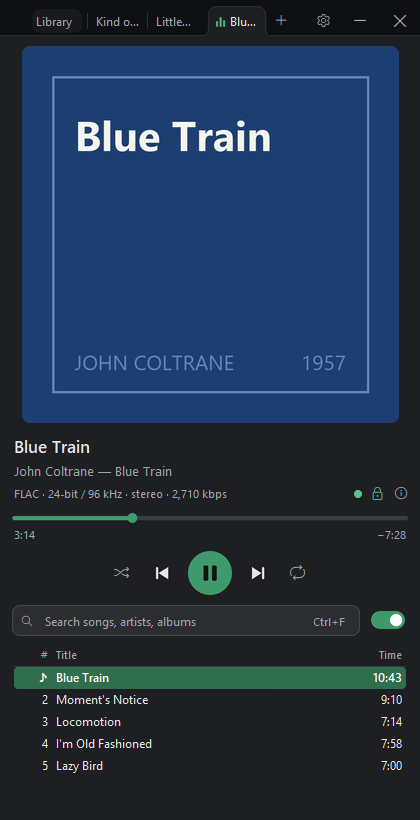
A tall, narrow window you can leave open all day. Pick light or dark, shrink it to a mini player that stays on top, and on Windows or Linux control it from your keyboard’s media keys or the desktop’s media panel. Every action has a shortcut, and F1 lists them all.
Check a file
Find out if “hi-res” is the real thing.
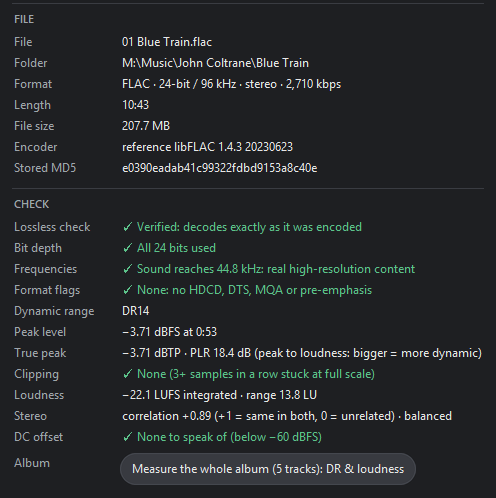
Ironbark explains what it finds in plain English: whether the file decodes exactly as it was encoded, whether all its bits are used, whether the sound reaches the high frequencies a lossy file would have cut, and whether anything clips. It’s worded as clues, never “fake”.
- Can check the whole library in the background too, when you start it, and list what needs a look.
- Compares your rips with the checksums in their EAC or XLD log.
Meters and listening tools
Meters that follow the published standards.
VU and PPM meters, true peak and loudness, measured from every sample sent to your speakers, in time with what you hear. Each one names the standard it follows.
- A spectrogram, a stereo scope and the actual sample values as they’re heard.
- An ABX blind listening test, to check your own ears.
- Test signals to measure a DAC or amplifier.
Get Ironbark
Free, for Windows, Mac and Linux.
Ironbark is experimental: early software (version 0.x), used every day on Windows 11; the Mac and Linux versions are newer still. Expect a few rough edges, and please tell us when you find one.
Windows 10 and 11
An installer (no administrator prompt needed) or a portable zip that runs without installing. Both are on the latest GitHub release.
Download for WindowsmacOS (Apple silicon)
A Mac app for Macs with Apple silicon, as a zip or a disk image: drag Ironbark to Applications. It’s on the same GitHub release, tested on macOS 26.
Download for MacLinux
A download for 64-bit PCs with Ubuntu 24.04, Linux Mint 22, Debian 13, Fedora 39 or newer. Unpack it anywhere and run it; its install.sh adds it to your applications menu.
In a web browser
Ironbark for the web plays the music on your own computer, on any system, with nothing to install. Nothing is uploaded. A browser can’t play bit-perfect, and the page says so.
Open Ironbark for the webWindows will warn you the first time. Ironbark isn’t code-signed yet, so SmartScreen says the publisher is unknown: choose More info, then Run anyway. If you’d like to check the download first, its SHA-256 checksum is in SHA256SUMS.txt on the release page.
So will a Mac. The Mac app isn’t signed yet either. The first time, macOS says Ironbark wasn’t opened: choose Done, open System Settings → Privacy & Security, choose Open Anyway next to Ironbark, confirm with your password or Touch ID, then Open Anyway again. The Mac and Linux checksums are in SHA256SUMS-mac.txt and SHA256SUMS-linux.txt.
It never uses the internet.
Ironbark doesn’t collect anything about you or your music: no update check, no look-ups, no usage tracking. Lyrics, the rip-log check and the library search all work from files on your own computer. Music on your home network or OneDrive plays the way any program reads a file.
Open source
Ironbark’s code is public, free to use and free to change, under the MIT licence. Found a bug or have an idea? Report it on GitHub. Bug fixes are welcome; CONTRIBUTING.md explains how.
Why “Ironbark”?
Ironbarks are Australian eucalypts. Their dead bark builds up on the trunk in deep, dark furrows instead of peeling away, and their timber is famously dense and hard: it once held up bridges and wharves and carried the railways of eastern Australia. The logo is a record whose grooves are a log’s growth rings.
Questions
Common questions about Ironbark
Is Ironbark free?
Does Ironbark work on a Mac or on Linux?
Why does Windows warn me when I install it?
SHA256SUMS.txt.